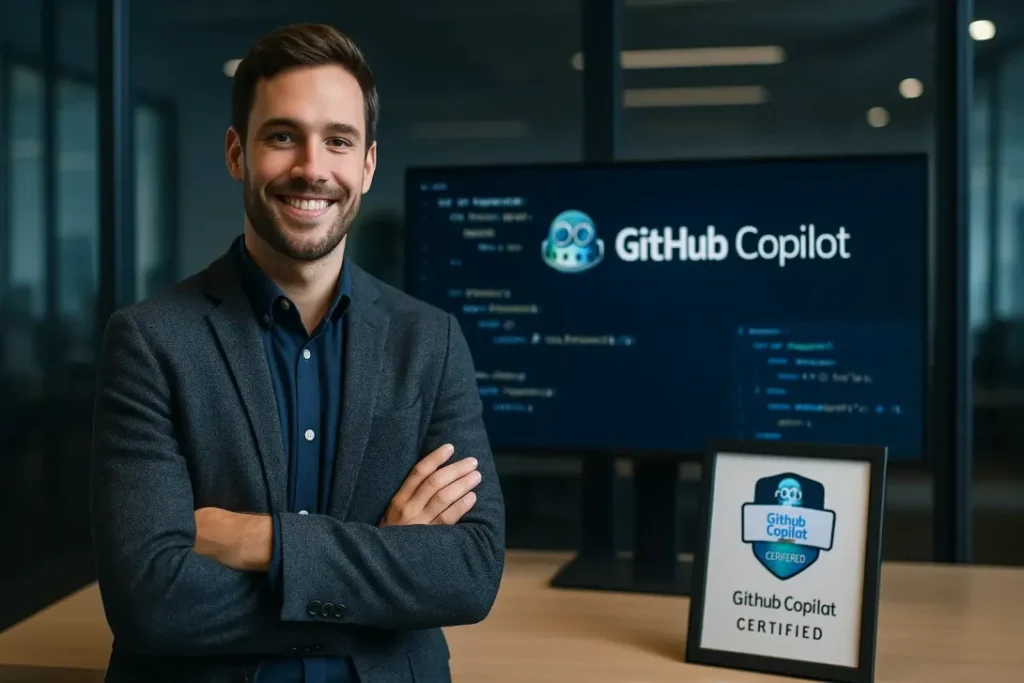
Earning the GitHub Copilot Certification is a major milestone for developers and IT professionals looking to validate their ability to use AI-assisted development tools effectively. Passing this exam requires more than basic knowledge of GitHub—you need hands-on experience using Copilot inside real IDEs, understanding prompt engineering, and practicing with realistic exam-style Copilot scenarios and questions. One of the most effective ways to prepare is by diving into the Best GitHub Copilot Certification Practice Tests, which simulate real Copilot exam environments and help you identify gaps in prompt crafting, IDE integration, code workflows, and Copilot Chat features. With multiple options available, choosing the Top GitHub Copilot Exam Simulators can feel overwhelming.
- Question Quality & Difficulty
- Exam Format & Realism
- Pricing & Access Duration
- Alignment with Copilot Exam Blueprint
Let’s explore the Best GitHub Copilot Certification Practice Tests to help you ace the exam on your very first attempt!
Introduction to GitHub Copilot Certification
The GitHub Copilot Certification validates your expertise in using Copilot for AI-assisted coding, advanced prompting, IDE integration, and practical development workflows. It demonstrates the ability to leverage Copilot across Visual Studio Code, JetBrains IDEs, and GitHub repositories for faster, smarter, and more efficient development.
Using the Best GitHub Copilot Certification Practice Tests significantly enhances your preparation by immersing you in real exam-style scenarios, coding prompts, and Copilot Chat use cases.
Importance of the Certification
Industry Recognition & Career Growth
This certification is highly valued among developers, DevOps engineers, automation specialists, and AI-driven development teams. It establishes you as a modern developer who can leverage AI efficiently.
Mastery of GitHub Security Features
You learn practical mastery of Copilot’s capabilities:
- Contextual code completions
- Advanced prompts
- @workspace and Copilot Chat
- Repository-aware coding and reviews
Higher Salary & Better Opportunities
AI-assisted development is becoming a core skill; certified developers often land better roles in engineering, automation, DevOps, and AI integration.
Real-World Problem-Solving
The exam tests your ability to apply Copilot in real workflows—writing functions, debugging, documenting code, and optimizing efficiency.
Validation of Hands-On Experience
The exam validates practical implementation in live IDEs, coding workflows, CI/CD tasks, and repository collaboration.
Competitive Advantage
Employers increasingly prefer developers who can use AI tools to increase productivity and code quality.
Eligibility Criteria
Prerequisite Knowledge
Recommended experience includes:
- Understanding GitHub repositories and development workflows
- Familiarity with IDEs like VS Code, JetBrains, or Neovim
- Active GitHub account with Copilot enabled
- Basic programming knowledge (e.g., Python, JavaScript, Java)
Understanding of Key Concepts
To succeed, you should master:
- Copilot in VS Code and JetBrains
- Prompt crafting and engineering
- Copilot Chat commands including @workspace
- AI-assisted debugging, testing, and documentation
- Integrating Copilot with repositories and workflows
Exam Details
The GitHub Copilot Certification typically includes scenario-based, multiple-choice, and practical understanding questions focused on Copilot usage, IDE workflows, and prompt engineering.
Exam Structure
Preparing for the GitHub Copilot Certification exam begins with understanding its structure, which is designed to evaluate your proficiency across several key areas. These include IDE integration, AI-assisted code generation, effective prompt design, working with repositories, leveraging Copilot Chat commands, and applying AI-driven code review techniques. Together, these components measure how efficiently you can use Copilot within real development workflows.
Question Types
The exam features a blend of multiple-choice and multiple-response questions, along with scenario-based AI coding challenges. You will also encounter practical tasks that assess your ability to craft prompts, debug using Copilot, and apply AI-assisted techniques to solve real-world development problems effectively.
Domains Covered
These practice tests measure your ability to apply algorithms and data structures effectively. Below are the major domains and their approximate weight:
Domain
Percntage of Exam Items
IDE Integration & Copilot Setup
20%
Prompt Engineering & Code Generation
20%
Copilot Chat & @workspace Commands
18%
Repository & Workflow Integration
15%
Testing, Debugging & Documentation
15%
AI Limitations, Ethics & Best Practices
12%
Importance of Practice Tests
Using high-quality GitHub Copilot Certification Practice Tests helps developers deeply understand AI-powered coding, strengthen prompt engineering, and get ready for real-world development workflows.
How Do Practice Tests Help?
Knowledge Assessment
Practice tests reveal gaps in understanding Copilot’s advanced prompts, IDE usage, and workflow integration.
Exam Familiarity
Targeted Learning
Feedback highlights weak areas—prompt design, Chat commands, code generation, repository collaboration, etc.
Confidence Building
Repeated practice builds the confidence needed to tackle Copilot’s scenario-focused questions.
Top GitHub Copilot Certification Practice Tests
Provider
Price
Total Questions
Mock Exams
Access
Key Features
$9.99
350+
5
365 Days
Realistic IDE-based scenarios, prompt engineering focus, detailed explanatio-ns, mobile-friendly.
Whizlabs
$29.95
200+
3
1 year
Decent variety, basic explanations, fewer mock tests.
Tutorials Dojo
$39.00
250+
2
1 year
Covers fundamentals, lacks advanced scenario coverage.
SkillCertPro
$25
300+
3
1 year
Updated questions, cheat sheets, short explanations.
Why Choose Gururo Practice Tests?
Feature
Gururo Simulator
Other Mock Tests
Realistic Diagnostic Questions
✓
❌
Latest Copilot Exam Blueprint
✓
❌
Unlimited Practice Attempts
✓
❌
Affordable Pricing
✓
❌
Performance Tracking
✓
❌
Responsive Across Devices
✓
❌
24×7 Support
✓
❌
Learner Support
✓
❌
Money-Back Guarantee
✓
❌
Conclusion: Your Path to Success
When preparing for your certification, selecting the Top GitHub Copilot Certification Exam Simulators for 2026 is just the beginning. A well-structured mock exam platform can make the difference between passing and struggling.
Making the Most of Your Simulator:
- Create a Study Plan: Practice advanced prompts and IDE workflows.
- Attempt Multiple Mock Tests: Build confidence with Copilot scenarios.
- Analyze Score Reports: Refine your prompting and integration techniques.
- Stay Consistent: AI-assisted development mastery builds over time.